
VRMoveTime 4.0 Release
New Additions:
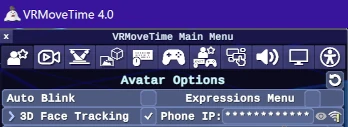
Adding direct 3D Face Tracking, which supports phone apps such as iFacialMocap and FaceMotion3D (iPhone), VTube Studio (iPhone and Android) and MeowFace (Android). There is a VRMT/streamer support Discord server now! Join at https://discord.gg/btve729f
- Added audio Lip Sync for your avatar which uses your microphone
- For 3D face tracking: added a connection status indicator which also will give you tips on fixing connectivity problems if you hover the mouse over it.
- Added the ability to customize the colors of the VR stage/background
- Added real time shadows with a customizable shadow color when Shadow Quality is set to Medium or higher in Graphics Quality.
- Added the ability to use F13-F24 in the app keys by remapping existing F1-F12 keys in the Keyboard and Mouse [5th] tab. Now you can use F13-F24 in hotkeys or shortcuts to save keyboard space, which can be received by streamer apps like StreamDeck or MixItUp.
- Added Alt camera controls by holding down the (default) Alt key and dragging the mouse with any mouse button. These controls will be familiar to anyone whose used other VTuber apps.
- Added an “Outline Enhancement” post processing effect that can mask jagged edges on some avatars, especially at lower resolutions
- Added an “Aspect Ratio Lock” dropdown option to the Display tab that keeps the app window at a consistent size, and default to 16:9.
- Added a “Process Priority” advanced option that changes the CPU priority for the app.
- Overhauled the rendering pipeline so that Resolution Scaling will still work regardless of the Upscaling/Anti-Aliasing setting, and making it so the resolution of the Spout2/OBS image can be separate from the size of the app window. Now you can make VRMoveTime window as small as you want without sacrificing image quality.
- Note that there is currently an issue with the Android version of VTube Studio which may cause your avatar’s eyelids and eyebrows to be too low. To address this, there are Blink Offset, Brow Offset sliders under the Face Tracking options which should be raised as little as needed to fix it.
Changes:
- Smoothed out or reduced avatar turning when activating position presets have short distances between them
- Added in new tooltips for various options, and made tooltips fade in and out
- Added an “Advanced Options” toggle in the Interface options. Some newer options that have an asterisk* next to their name will only be shown if this is enabled.
- Added an indicator when holding down the “Reset Position” key (default: R) to show how long you need to keep holding it for a full avatar and camera position reset (tapping it just resets the 3D head tracking position and rotation)